
For adult children managing estates, grandparents, or long-distance family ties after illness, divorce, or loss, preserving family memories can feel urgent and strangely slippery. Photos scatter across phones, stories live in half-remembered conversations, and the small details that make a person unmistakably themselves can fade faster than expected. A digital memory book offers a steadier place for legacy preservation, bringing memorial storytelling and everyday moments into a personal history archive that can be revisited and shared when it matters most. It turns what’s hard to hold onto into something that stays within reach.
What a Digital Memory Book Really Is
A digital memory book is a curated collection of photos, short stories, voice notes, and keepsakes saved in a format you can revisit and share. It is less about storing everything and more about choosing moments that explain a person’s life, values, and relationships.
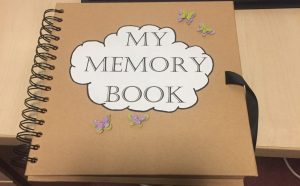
It helps adult children, grandparents, caregivers, and anyone trying to stay connected across distance. When memories live in a shareable format, they stop hiding in one phone or one person’s head. That makes comfort and connection easier to access during anniversaries, holidays, and hard days.
Think of it like a living scrapbook that never gets stuck on one shelf. A cousin can add a caption, a sibling can upload a recipe photo, and a grandchild can listen to a familiar laugh. Everyone sees the same story, even years later. Consistent portrait-style imagery can make those people and chapters feel intentional and deeply personal.
Create Cohesive Portrait Pages with AI-Generated Visuals
Once you know what a digital memory book is, the next layer is how its visuals can quietly reinforce the story you’re telling about the people inside it. An AI portrait generator can help you create meaningful illustrations, or gentle, restored-style images, of loved ones that add a warm, personal touch to your pages, especially when you want portraits that feel consistent across chapters. With a tool like the Adobe Firefly portrait creator, you can generate realistic or stylized digital portraits using either your own photos or a simple text description, which can be especially helpful when you’re working from older, imperfect images or remembering a moment you don’t have photographed. As you experiment, you can adjust details such as lighting, angle, and artistic effects so the portrait matches your vision, whether you want something natural and familiar, or more softly artistic for a reflective tone.
Build and Organize Your Digital Memory Book
This process helps you turn scattered photos and memories into a digital book that feels coherent and comforting. For general readers, a clear plan prevents overwhelm and makes it easier to involve family members without turning the project into a months-long slog.
- Choose a “spine” for the book
Start with one organizing path so every page has a job: chronological (by years), thematic (family roles, traditions, places), or chapter-based (childhood, milestones, everyday life). Write 5 to 10 tentative chapter titles in a notes doc, then list 3 to 5 moments you want inside each one. This creates a container for everything you will collect next. - Gather, sort, and label your materials
Create one main folder for the project, then subfolders for each chapter plus a folder called “Unsorted.” As you collect photos, letters, screenshots, and voice-note transcripts, rename files with a simple pattern like YYYY-MM-Location-ShortNote or Chapter-Topic-01 so you can find them later. This early labeling is what makes the final layout feel smooth instead of chaotic. - Digitize photos with a consistent routine
Scan or photograph physical prints in batches, aiming for the same lighting and crop style so the book looks unified. Capture the back of photos too when there is handwriting, dates, or a note worth preserving. Right after each batch, place files into the correct chapter folder and add a one-line caption while the details are still fresh. - Pick a platform that matches your workflow
Decide whether you want a drag-and-drop design tool, a slideshow-style format, or a prompt-led writing experience that helps you generate stories quickly. A digital memory book platform with built-in structure can be helpful if you prefer guidance over blank-page designing. The best choice is the one you can keep using weekly, even in short sessions. - Build page flow with a repeatable story pattern
For each chapter, use a simple template: 1 anchor photo, 1 short story paragraph, 1 caption list of names and dates, and 1 small detail image or quote. Keep stories specific by answering “Where were we, who was there, and what did this mean later?” Review pages in order and adjust transitions so each spread feels like it naturally leads to the next.
Finish Your Digital Memory Book Essentials
A checklist keeps your pages from becoming just a photo dump and helps every chapter reflect the person behind the pictures. Personal touches matter because 91% of consumers respond more when something feels relevant, and your keepsake works the same way.
✔ Confirm a clear book spine and 5 to 10 chapter titles
✔ Collect 20 to 40 anchor photos that define the person
✔ Add one short story to each chapter, not just captions
✔ Include names, dates, and places on every key photo
✔ Capture one “small detail” image or quote per chapter
✔ Request relatives contribute two memories and three photos
✔ Backup files to two locations and export a shareable copy
Check these off and you will have a book worth revisiting often.
Start a Digital Memory Book That Keeps Their Story Alive
When photos, messages, and small mementos are scattered across devices, it’s easy to feel like a loved one’s story is slipping through the cracks. A meaningful digital memory book solves that by taking a simple, intentional approach: gather what matters, add the context that gives it heart, and shape it into a keepsake that’s easy to revisit and share. The result is less anxiety and more clarity, an organized place where memories feel present, not lost in a camera roll. Legacy grows from small moments saved with care. Choose one small next step and begin preserving today: select ten photos and write two sentences about why they matter. This kind of legacy creation is a steady way of celebrating loved ones digitally and strengthening connection over time.
AN AFTERTALK ALTERNATIVE
 blessings. You can write as much or as little as you wish, and you are free to include attachments like photos, videos, scanned artwork or documents. Your conversations are saved for as long as you wish, in complete privacy, accessible only with your AfterTalk password. Though your loved one is gone, the feelings and memories never die.
If your loved one touched lives in addition to yours, you may wish to exchange thoughts and memories with special friends or family members who share your grief. You can do so here, simply by providing their email addresses. You can write to individuals, to groups, even to organizations your loved one belonged to, expressing sympathy, sharing anything that’s in your heart. As with an online memorial site, the people you invite can visit to write and share any time.
As with all information you provide on our site, family and friends you invite will be visible only to them and to you.
